The September 2026 release of Symmetry GUEST/CONNECT is headlined by SCIM support — a standard way for identity systems like Microsoft Entra ID and Okta to automatically create, update, and remove employee accounts in Symmetry IDM — alongside facility code and access control enhancements and a large batch of reliability fixes across IDM, GUEST, and CONNECT. In total, this update delivers 1 major new feature, 2 smaller enhancements, and resolves 26 reported issues.
| 1
New Feature |
26
Bug Fixes |
2
Enhancements |
Important Information
Identity Classic View Removal — September Release
As announced in last month’s release notes, the Identity Classic View is scheduled to be retired this cycle, with any user still on it automatically switched to the current Identity page. Please confirm this shipped as planned before this note goes out — it wasn’t independently verifiable from the release tickets pulled for this draft.
New Features & Enhancements
- SCIM Support for Symmetry IDM
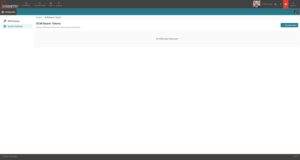
Symmetry IDM now connects directly to the identity system your company already uses — such as Microsoft Entra ID or Okta — using an industry-standard method called SCIM. When someone joins, changes roles, or leaves the company, their Symmetry IDM account updates automatically, with no manual data entry required.
- Accounts stay in sync automatically: New employee accounts, profile changes, and departures all sync automatically between your identity system and Symmetry IDM, protected by secure access credentials that can be replaced on a schedule.
- Quick setup: A compatible identity system can detect and configure its connection to Symmetry IDM automatically, without extra manual setup steps.
- Tested with Microsoft Entra ID and Okta: Step-by-step setup guides are available, and the full process — from account creation to removal — has been tested with both.
- Clear labeling: Accounts created automatically by your identity system show a visible “From IdP” (identity provider) tag on the Identities list and on the identity’s profile page, so they’re easy to find, filter, and include in reports.
- Optional protection for synced information: Turning on the “Make IdP-managed fields read-only” setting for a group means fields like name, email, phone, address, employee number, department, and manager can only be changed in your identity system — not by accident in IDM. Access, credentials, buildings, photos, and roles can still be managed directly in IDM.
- New admin screens: Administrators get a screen to create, replace, and cancel access credentials, plus a dashboard showing sync activity and any errors.
Where to find it Navigation: Configuration > System > SCIM — token management, attribute mapping, and provisioning status
2. Facility Code Whitelist: Default Code & Access Control Rule Visibility
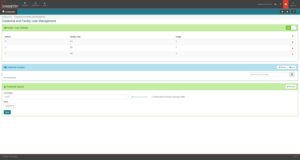
The Facility Code Whitelist now supports a default facility code and gives administrators full visibility into which access control rules — not just credentials — reference each code, closing a gap from the original whitelist release.
- Default facility code: Every whitelist now has exactly one default, which auto-selects on credential assignment, GUEST/CONNECT access control rule configuration, and kiosk/self-registration screens.
- Access control rules visible in Usage: The Usage view now shows both credentials and access control rules referencing a facility code, as two separately selectable lists, and clicking a rule opens its configuration directly.
- In-place facility code change: Administrators can reassign the facility code on selected access control rules directly from the Usage view, without navigating away.
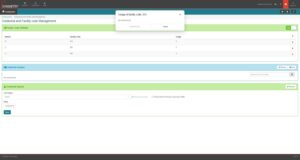
- Clearer delete confirmation: Removing a facility code now states plainly whether the action will delete credentials, reset referencing access control rules to the default, or both.
Where to find it Navigation: IDM > Global Configuration > Facility Code Whitelist
3. Multiple Access Control Rules & Credential Request Notification Configuration
Two smaller, customer-requested enhancements round out this release: administrators can now work with more than one access control rule at a time, and credential request notification emails are configurable rather than fixed.
- Multiple access control rules: Administrators are no longer limited to applying one access control rule at a time.
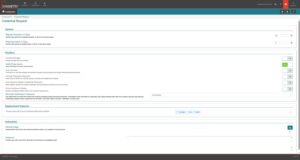
- Credential request notification configuration: The emails sent for credential requests can now be configured rather than using a single fixed template.
Where to find it Navigation: IDM > Access Control Rules • IDM > Configuration > Notifications
Bug Fixes & Reliability
| Area | What Was Fixed |
| Symmetry IDM | Removing a facility code with the “delete credentials” option would not delete the last remaining credential when the group was in Optional access control mode. All credentials are now removed as expected. |
| Symmetry IDM | Reports Admin users were correctly redirected to their own profile page when they weren’t allowed to view the full identities list, but the profile page itself then signed them out instead of loading, due to a permissions issue. Reports Admins can now view their own profile without being logged out. |
| Symmetry IDM | Changing a web user’s login name and password in the same update could silently discard the new password, locking the user out with no error shown. Username and password changes submitted together are now applied correctly and reliably. |
| Symmetry IDM | Clicking Configuration from the navigation trail on the Facility Code Whitelist screen opened the old configuration screen instead of the current one. This link now opens the current configuration screen. |
| Symmetry IDM | Looking up a flagged Watch List entry that was created from an existing identity could show no linked identity at all in groups with more than 10 identities, due to an internal search error. The linked identity now shows correctly regardless of group size. |
| Symmetry IDM — Public API | The /credentials/history endpoint returned no data for any request. The endpoint now returns credential history correctly. |
| Symmetry CONNECT | A Remove Access rule listing multiple access groups only removed access if the identity held every listed group — matching one of several was not enough. Remove Access rules now remove access when any of the listed access groups match, as originally intended. |
| Symmetry CONNECT | A technical error on one integration caused updates to pile up without being sent to the access control system. This has been resolved and updates are now applied reliably. |
| Symmetry CONNECT | The Onboarding History report displayed an unhelpful, unclear message when identities were skipped because of the facility code whitelist. The report now shows a clearer explanation for these skips. |
| Symmetry CONNECT | The Access Request filter on the Request Access screen returned inconsistent results, sometimes ignoring the entered filter criteria. Filtering now returns consistent, correct results. |
| Symmetry CONNECT | The credential type previously labeled “Corporate Badge” is confusing and easy to select by mistake; it has been renamed to “Mobile Credential” throughout the CONNECT screens. |
| Symmetry CONNECT | The credential status shown in the Identity Credential Report did not match the UI for Expired or Scheduled credentials — the report showed Active in both cases. The report now shows the correct status. |
| Symmetry CONNECT | Both the Photo ID Technician’s new-request notification and the requestor’s approval notification used the same subject line, “Credential Request Approval.” The requestor’s email now reads “Credential Request Approved.” |
| Symmetry CONNECT | Access-expiration reminder emails were sent even when the access assignment had a future start date and hadn’t taken effect yet, which was confusing to recipients. Reminders are no longer sent ahead of access that hasn’t started. |
| Symmetry CONNECT | Adding the Photo ID Technician role to a user who already had the Access Control Rule Manager (ACRM) role unexpectedly limited the identities they could view to a single building, instead of the full identity list ACRM is meant to allow. This has been corrected so the broader ACRM access takes priority. |
| Symmetry CONNECT | In some cases, access granted in CONNECT was not reflected as an assigned Access Group in Symmetry, even though CONNECT showed the grant as successful. This synchronization issue has been resolved. |
| Symmetry CONNECT | The “Hide name (use description)” option in Access Group configuration had no effect on any screen and had never been implemented since it was introduced. The option has been removed from the configuration screens and reporting rather than left non-functional. |
| Symmetry CONNECT | Re-assigning a card number through the Credential API failed with an error saying the number was already in use, even after the prior credential had been removed in CONNECT. The API now allows re-assignment consistently with the CONNECT screens. |
| Symmetry CONNECT | Sym Blue Wallet 40 credentials were not classified as Corporate ID and incorrectly required a card number and facility code to be entered. Wallet 40 credentials are now handled correctly. |
| Symmetry CONNECT | Onboarding a large cardholder set (10,000+) from a connected Symmetry system could fail with an unhandled error partway through. Large onboarding batches now complete reliably. |
| Symmetry GUEST | The Pre-Print Group Badges option did not work unless the AMAG Print Utility was running, even though individual badge pre-printing worked either way. Group pre-printing now works consistently, with or without the Print Utility running. |
| Symmetry GUEST | Reprinting a visitor badge for a building with no badge template assigned produced an unhelpful generic error instead of a clear message. This scenario is now handled gracefully. |
| Symmetry GUEST | The Apple iPad Self Registration kiosk app would periodically lose its registration and require re-entering a token and base URL to relink to GUEST. This has been resolved. |
| Symmetry GUEST | In the iOS app, pressing Check-In without an active internet connection left the button spinning indefinitely, even after connectivity was restored. The Check-In button now recovers correctly once the connection returns. |
| Symmetry GUEST | Editing a visit so that it matched an access rule connected to two separate integrations, then checking in, produced a blank white screen instead of completing check-in. This scenario now completes check-in correctly. |
| Symmetry GUEST | Manually checking in a visit that matched an access rule connected to two separate integrations could assign a different credential than the one originally issued to the visitor. Manual check-in now keeps the originally assigned credential, consistent with automatic check-in. |
Full release notes are available on the Portal.
For support, contact your AMAG representative or open a ticket at support.amagsymmetry.com.