We’re excited to share everything that’s new in the July 2026 release of Symmetry GUEST/CONNECT (v2.3.10). This update brings meaningful improvements across visitor management, access requests, identity administration, and the Kiosk experience – along with a significant wave of bug fixes, performance improvements, and security hardening.
|
8+ New Features & Enhancements |
45+
Bug Fixes |
10+ Security & Compliance Updates |
Important Information
Identity Classic View Removal – September Release
The Identity Classic View will be permanently removed in the September release. Any user still using Classic View at that time will be automatically switched to the new Identity page.
We encourage all users to transition to the new Identity page now to familiarize themselves with the updated layout ahead of the September release.
New Features & Enhancements
- Pre-Print Visitor Badges
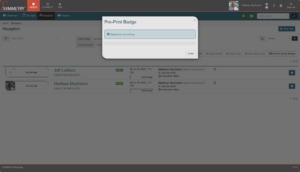
Receptionists and security staff can now print visitor badges before a visitor arrives – no waiting at the desk during busy arrival windows. Badges can be printed for individual visitors or for an entire group in a single action.
- Group pre-print: Select multiple upcoming visits, then use the Pre-Print Badges option from the Actions strip to print all at once.
- No configuration needed: Pre-printing is available out of the box without enabling any additional settings.
Where to find it
Navigation: GUESTS > Receptionist > select visit(s) > Actions > Pre-Print Badge(s)
2. Approval Messages & Instructions
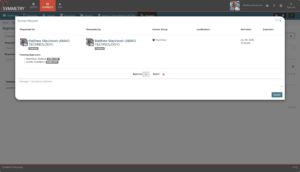
Approvers can now include a personalized message or instructions when approving a credential request. The message is delivered to the requester as part of the approval notification, making it easy to communicate next steps, badge pickup locations, or any special conditions of approval.
- Rich context for requesters: Approvers can type a free-text message in the approval dialog before confirming.
- Delivered automatically: The message appears in the requester’s approval notification email alongside the access granted.
- Optional field: Leaving the message blank behaves identically to the previous approval flow.
Where to find it
Navigation: Access Requests > Pending Approvals > Approve > enter optional message > Confirm
3. Flexible Expiration Settings for Employees
Administrators can now apply non-employee expiration settings to identities classified as employees. This supports use cases such as contractors on fixed-term placements, seasonal employees, or project-based staff who need automatic credential expiration.
- Per-identity override: Set a custom expiration date on an employee identity without changing the identity type.
- Credential auto-expiry: Credentials tied to the identity expire automatically on the configured date.
- Audit trail preserved: All expiration events are logged in the identity audit history.
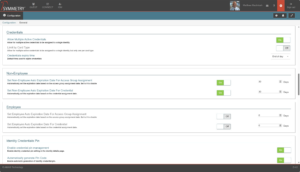
Where to find it
Navigation: Identity Management > Identity Profile > Edit > Expiration Settings
4. Search by Default Card Number
Security administrators can now search for identities directly by their default card number. Previously, finding a cardholder required knowing their name or employee ID. This new capability speeds up badge look-up during audits and at checkpoints.
- Global identity search: Enter a card number in the identity search bar to immediately locate the associated cardholder.
- Works with physical and virtual: Supports standard proximity cards, smart cards, and mobile credential identifiers.
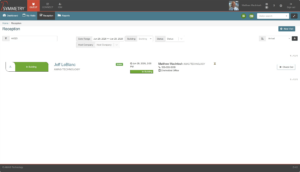
Where to find it
Navigation: Identity Management > Search > enter card number in the search field
5. New Identity Notifications
New team members can now receive a welcome email that provides details about their roles and links to common tasks they can complete.
- Notification includes details: The email includes the new identity’s name, assigned roles, and links to common tasks.
- All creation paths covered: The notification is triggered whether the identity is created manually, imported, or added through an integration.
Where to find it
Navigation: Configurations > System > Notifications > New Identity Notification
6. Photo ID Tech Restricted by Building
The Photo ID Admin and Photo ID Technician roles are now scoped to the buildings they are assigned to manage. Each Photo Tech can only view, process, and activate credentials for identities belonging to their assigned building(s) – improving data segregation and reducing cross-site credential risk.
- Building-scoped visibility: Photo ID Admin and Photo ID Technician only see identities from buildings they are assigned to.
- Credential activation blocked: Processing or activating credentials for out-of-scope identities is blocked at the UI and API level.
- Identity creation restricted: Photo ID Admin and Photo ID Technician can no longer create new identities associated with buildings outside their access.
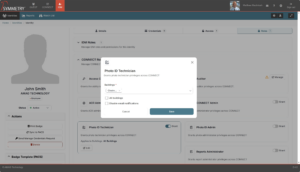
Where to find it
Navigation: IDM > Identity > Roles > Photo Tech > Building Assignment
7. Company Filter on Audit Screen
The Audit screen now includes a Company filter, making it faster for administrators at multi-tenant or campus environments to narrow down audit log entries to a specific company. Particularly useful for managed service providers and enterprise accounts managing multiple companies in a single instance.
- Filter by company: Use the new Company drop-down on the Audit screen to display only entries for a selected company.
- Combines with existing filters: Works alongside existing date range, user, and event type filters.
- Exportable: Filtered results can be exported as before.
Where to find it
Navigation: CONNECT > My Audits > Company filter drop-down
8. Kiosk & Self-Service Experience Improvements
Several quality-of-life improvements have been made to the Kiosk app to improve reliability in self-service environments:
- QR Code Scanning: The scanning window has been enlarged and recognition improved, reducing failed scans in low-light conditions.
- ID Document Scanning: A camera zoom configuration option has been added, resolving issues where tray-placed IDs were too small for reliable OCR.
- Badge Print Timeout: The Kiosk will no longer lock up when a printer is offline. A configurable timeout handles this gracefully.
- iOS Photo Cropping: Visitor self-service photos on iOS Kiosk are now correctly cropped to the configured frame size.
- GuardAssist on iPad: The GuardAssist URL now opens correctly in Google Chrome on iPads.
Bug Fixes and Reliability
The following bugs have been fixed in this release. The full change log is available at amag.com.
| Area | What Was Fixed |
| Symmetry GUEST | Visitor report filters now work correctly – the report shows only the results you asked for. |
| Symmetry GUEST | Visitors who pre-registered are now properly checked out when they leave. |
| Symmetry GUEST | Any receptionist can now check a returning guest back in, not just the one who originally signed them in. |
| Symmetry GUEST | Visitors can now check in normally after the PIN code length has been changed. |
| Symmetry GUEST | Visitor management settings no longer show integration options that do not apply to your setup. |
| Symmetry GUEST | Visitor pre-registration data now correctly fills in the email field in Symmetry. |
| Symmetry CONNECT | When submitting a request on someone else’s behalf, the requested date no longer changes unexpectedly. |
| Symmetry CONNECT | Access expiration reminder emails now include a working link directly to the person’s profile. |
| Symmetry CONNECT | Expiration emails sent to Building Managers and cardholders no longer contain broken links. |
| Symmetry CONNECT | Badges created through CONNECT integrations now appear correctly in the system. |
| Symmetry CONNECT | When access is revoked via an integration, it is now properly logged in the audit report. |
| Symmetry CONNECT | The Access Group settings page now loads reliably for all customers. |
| Symmetry CONNECT | Clearing a date field in CONNECT now removes it in Symmetry as expected. |
| Symmetry CONNECT | Changes to records are now visible to all users right away, with no delay. |
| Symmetry CONNECT | Expired credentials are now automatically removed from CONNECT. |
| Symmetry CONNECT | Badge template previews now display correctly in the Badge Designer. |
| Symmetry CONNECT | You can now delete custom fonts from the Theme settings without errors. |
| Wallet | Mobile credential activation emails are now delivered reliably. |
| Wallet | Adding a wallet credential no longer sends the cardholder two passcode emails by mistake. |
| Wallet | Wallet-only setups no longer get stuck waiting to sync – they now complete successfully. |
| Wallet | Cards are now reliably removed from CONNECT when they should be, regardless of configuration. |
| SSO & Auth | Users with SSO bypass enabled are no longer incorrectly asked to enter a password. |
| Symmetry IDM | Forms now correctly highlight required fields that have not been filled in. |
| Symmetry IDM | The error shown when a manager is assigned as their own employee can now be displayed in all supported languages. |
| Symmetry IDM | The message asking for a phone number when SMS is enabled can now be displayed in all supported languages. |
| Symmetry IDM | The access view now shows all relevant access groups correctly when managed by multiple access managers. |
| Performance | The dashboard no longer freezes when loading unmanaged access groups. |
| Performance | Email domain detection now works correctly for addresses with multi-part endings like .co.uk. |
Security & Compliance
This release includes significant security hardening across both the platform and its underlying dependencies. No action is required for cloud-hosted customers; on-premise customers should update to 2.3.10 at the earliest opportunity.
GPL License Compliance
GPL-licensed packages have been removed or replaced across amag.web, Badge Designer, Registration, amag.nfc, ScanUtility, and PrintUtility. All replaced components are MIT or Apache-2.0 licensed.
Critical Dependency Vulnerabilities Patched
All known critical vulnerabilities in the amag.web front-end bundle have been addressed, including updates to rollup, uuid, handlebars, flatted, jest, and basic-ftp. Infrastructure binaries (Caddy, RabbitMQ, Elasticsearch, esdeploy) have also been updated to latest stable versions.
For more information, contact your AMAG sales representative.
Symmetry GUEST/CONNECT v2.3.10